Project Management Board Ideas: Are Your Boards Driving Progress Or Creating Noise?
- silvalea884
- Jan 15
- 3 min read

What are the best project management board ideas to keep teams aligned and projects on track?The short answer: the best boards are visual, purpose-driven, and tailored to how your team actually works. A strong project management board turns complex workflows into clear, actionable steps,helping teams see priorities, spot bottlenecks, and move faster with confidence.
This guide explores practical, modern project management board ideas, explains when to use each one, and shows how to design boards that support productivity, accountability, and decision-making.
What Is a Project Management Board? (Quick Answer)
A project management board is a visual tool that organizes tasks, timelines, and responsibilities in one shared view. It helps teams track progress, manage workloads, and communicate status at a glance.
Why teams use project boards:
Improve visibility across tasks and owners
Reduce miscommunication and status meetings
Identify delays before they become risks
Support better planning and execution
Why Project Management Boards Matter More Today
Remote work, cross-functional teams, and fast-changing priorities have made visibility essential. When everyone can see the same board, alignment improves naturally.
Key benefits of effective boards
Clarity: Everyone knows what’s being worked on and what’s next
Focus: Teams prioritize outcomes, not just activity
Accountability: Ownership is visible, reducing follow-ups
Efficiency: Less time spent asking for updates
Boards don’t just track work,they shape how work gets done.
Classic Project Management Board Ideas That Still Work
1. Kanban Board

One of the most popular and flexible options.
Typical columns:
To Do
In Progress
Review
Done
Best for: Ongoing projects, support teams, and agile workflows.
Kanban boards work especially well when combined with effort or time insights pulled from operational tools such as a time card calculator, helping managers balance workload with real capacity.
2. Scrum or Sprint Board
Designed for time-boxed work cycles.
Key elements:
Sprint backlog
Daily task movement
Clear sprint goals
Best for: Software teams and iterative product development.
3. Gantt-Style Planning Board
A timeline-based visual that shows dependencies and deadlines.
Why use it:
Highlights task sequencing
Makes delays easy to spot
Improves long-term planning
Best for: Construction, marketing campaigns, and multi-phase projects.
Creative Project Management Board Ideas for Modern Teams
4. Priority Matrix Board

Tasks are organized by urgency and importance.
Quadrants include:
Urgent & important
Important but not urgent
Urgent but low impact
Low priority
Best for: Leadership teams juggling multiple initiatives.
5. Workload & Capacity Board
Instead of tracking tasks only, this board focuses on people.
What it shows:
Tasks per team member
Estimated vs. actual effort
Overloaded or underutilized resources
Pairing this view with attendance management software or effort data, without over-relying on metrics,can help teams plan realistically rather than optimistically.
6. Risk and Blocker Board
A dedicated space to surface issues early.
Common sections:
Current risks
Blocked tasks
Required decisions
Owners and next actions
Best for: Large projects where delays are costly.
Digital vs. Physical Boards: Which Is Better?
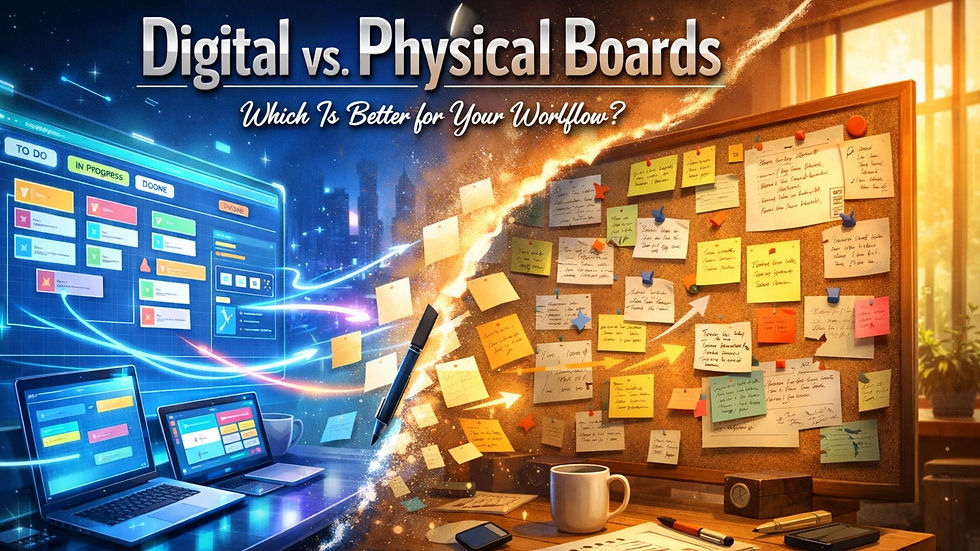
Physical boards
Pros:
Highly visible in shared spaces
Encourage daily interaction
Cons:
Hard to maintain remotely
Limited reporting
Digital boards
Pros:
Accessible from anywhere
Easy to update and analyze
Integrates with tools like calendars or a time calculator for better planning
Cons:
Can become cluttered without discipline
Most modern teams benefit from digital boards with clear rules and ownership.
How to Design a Board That Actually Gets Used
Follow these best practices
Start simple: Too many columns confuse users
Limit work in progress: Prevents overload
Define ownership: Every task needs a clear owner
Review regularly: Boards should evolve with the project
A board that’s never reviewed quickly becomes ignored.
Common Mistakes to Avoid
Treating the board as a reporting tool instead of a planning tool
Updating it only for management, not the team
Tracking activity instead of outcomes
Overloading it with unnecessary metrics
The best boards support conversations, they don’t replace them.
You can also watch: EmpMonitor: Skyrocket Your Sales with Better Project Management
Summary
Project management board ideas ka main goal teamwork ko simple, visual aur result-oriented banana hota hai. Chahe aap Kanban board use karein, sprint board, ya workload-based boards, sahi structure team ko clarity, accountability aur better planning deta hai. Effective boards unnecessary meetings kam karte hain, progress ko transparent banate hain, aur risks ko early stage par highlight kar dete hain. Jab boards team workflow ke according design kiye jaate hain aur regularly review hote hain, tab woh sirf tracking tool nahi balki project success ka strong driver ban jaate hain.
FAQ: Project Management Board Ideas
What is the most effective project management board?Kanban boards are the most versatile, but effectiveness depends on matching the board to your workflow.
How many columns should a project board have?Usually 4–6 columns are enough to maintain clarity without complexity.
Are project management boards useful for small teams?Yes. Small teams benefit even more because boards reduce coordination overhead.
Should project boards track time?They should focus on progress first. Time-related insights can support planning but shouldn’t dominate the board.
Comments